For independent hotels · built by a hotel operator

The whole hotel, on the same page.

Angel Hub is one connected app that runs your whole operation — tasks, chat, call-outs, rooms, safety, budgets. Everything is linked, so everyone knows what’s happening, handovers explain themselves, and nothing gets lost in a group chat.

  • Works on any phone
  • No per-user fees
  • Engineers & guests need no accounts
  • For pubs and restaurants too
One connected operation Every line is a real link
Noticeboard Knowledge Contractors Compliance Chat Audits Call-outs Assets Rooms Tasks Budgets Statistics Checklists Safety Projects Inventory Training Orders Rota Group Store Visitors Energy

Every line is a live link inside the product. Each tool is explained below, in What’s inside.

22 tools. One product. Every hotel gets all of it.

Sound familiar?

Hotels run on one of two systems. Both hurt.

The WhatsApp hotel

47 messages about one leak — and still no owner.

Jobs live in group chats and on paper. Things get missed, nothing has an owner, and when the EHO or an insurer asks for history, there isn’t any. Managers find out about problems late — and staff carry the stress home.

It costs £0 in software, and a fortune in everything else.

The four-app stack

Four logins, four bills, and none of them talk.

One tool for maintenance, one for compliance, one for training, plus the group chat. Each one is bought separately, billed separately and logged into separately — and you are still the one carrying information between them.

The tools are fine. The gaps between them are where things get lost.

What stops happening

  • The 47-message thread with no owner.

    An urgent message becomes a claimable job card, so “someone deal with this” becomes “Marta has it”.

    Chat
  • Typing the same fault into three places.

    Housekeeping flags the room once. That flag is instantly a card in the maintenance chat and a tracked task.

    Rooms
  • “Did anyone actually read the notice?”

    Must-read posts show managers the count: “confirmed 14 of 20”.

    Noticeboard
  • Ringing the engineer to ask when they’re coming.

    The engineer scans the QR label and updates the job on the spot, and everyone watching that job gets the update on their phone.

    The QR label
  • Hunting for last year’s gas certificate.

    Your gas engineer logs each service, with its certificate, straight onto the boiler’s own record, and a renewal clock shows when the next one is due.

    Compliance
  • Digging out paper logs when the EHO asks.

    Every signed-off reading builds a month-by-month history. When the EHO asks, you export it.

    Checklists
  • A Friday afternoon re-keying spend into a spreadsheet.

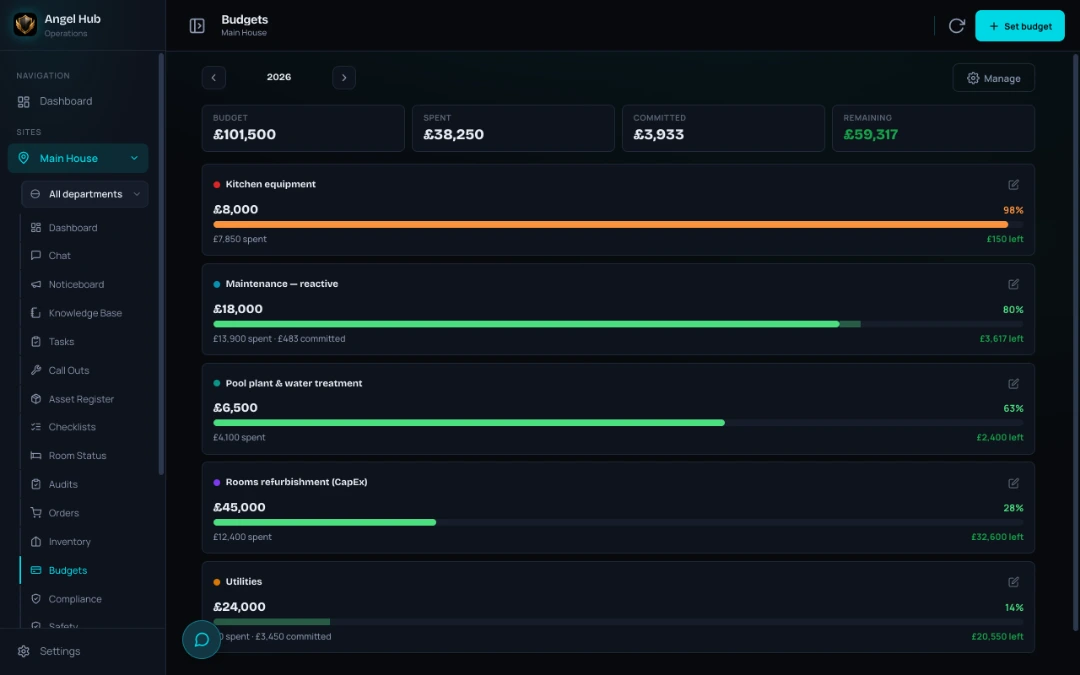
    Tag a job with a budget pot and every cost on it lands there: spent and committed, side by side.

    How money reaches a budget
  • Arguing over the third repair bill for the same fridge.

    Every asset adds up what it has really cost. Tell it what a new one costs, and as repairs climb towards that, it says so itself: replace recommended.

    Repair or replace

Angel Hub replaces both: the whole operation in one connected system, priced per hotel, never per person.

A day with Angel Hub

Nobody chases anything. Everybody knows.

This is the point of the whole product: information moves by itself, so your team can look after guests instead of chasing updates.

07:00 — the shift starts

Walk in, open one screen, know your day.

Everything outstanding is on the dashboard — no digging. Your own tasks sit at the top, urgent first, overdue flagged, clearly yours rather than the whole team’s. Below them, a calendar of everything the site owes:

  • Tasks
  • Call-outs
  • Checklists
  • Audits
  • Services due
  • Compliance renewals

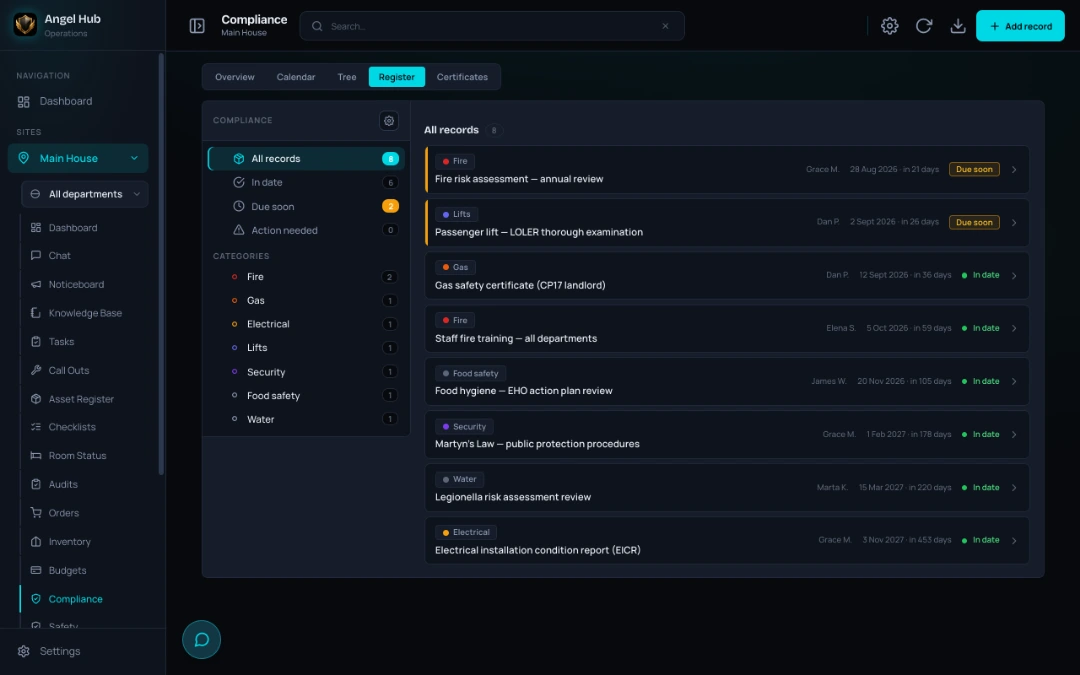
Compliance is the one that bites — fire and legionella risk assessments, the food hygiene rating, Martyn’s Law, staff fire training — each with a date, an owner and a countdown. Who’s on duty is right there too, and anything waiting on you — a safety document to read, training that’s run out, a notice posted since you last looked — is a tile you can’t walk past.

No catching up in the car park. No scrolling through last night’s messages. Ops directors see every department and every site from the same place.

Dashboard→My tasks→Due calendar→On duty
The Angel Hub dashboard on a phone — your own task list at the top with an in-progress room job, who’s on duty, noticeboard and docs-to-read tiles, and the due calendar with its overdue section flagged in red The Angel Hub dashboard on a phone — your own task list at the top with an in-progress room job, who’s on duty, noticeboard and docs-to-read tiles, and the due calendar with its overdue section flagged in red
08:15 — the morning checks

The fridge reads 9°C. One tap later, maintenance has the job.

Morning checks run from a phone, and every check can carry photos and instructions — so a new starter runs them properly in their first week without pulling anyone off breakfast. When something’s wrong, one tap raises a ready-made task: what was found, where, and the team that should fix it, already filled in. Zero retyping, zero “I’ll mention it later”.

Temperature checks take a number, not a tick. You set the safe range for every fridge, freezer and pool reading — the entry turns green, amber or red as it’s typed, and an out-of-range reading can raise that ready-made task on the spot. For a pool plant room or a busy kitchen, reaction time is everything.

Every signed-off reading builds a month-by-month history — fridge by fridge, pool by pool — with each reading and its follow-up task linked for good. When the EHO asks how you know the fridges are safe, you export it.

Reading→Out of range→Ready-made task→Month-by-month history
The kitchen opening checks running on a phone — the larder fridge air temperature reads 9°C and shows Critical high in red because it is outside the safe range set for it, with a Create task button right inside the failed check The kitchen opening checks running on a phone — the larder fridge air temperature reads 9°C and shows Critical high in red because it is outside the safe range set for it, with a Create task button right inside the failed check
11:40 — something breaks

A leak in room 12 becomes a job in seconds.

Housekeeping flags the room. That flag is instantly a card in the maintenance chat and a tracked task. Marta claims it — so “someone deal with this” becomes “Marta has it” — and reception, the GM and the housekeeper can all see the stage it’s at.

Needs an engineer? The task becomes a call-out in one tap — contractor assigned, booking link sent by WhatsApp or email. The engineer arrives, scans the QR label, and updates the job on the spot — so nobody spends the afternoon asking when he’s coming or what he found.

When it’s fixed, the work and the cost are logged against that room and that asset. Forever.

Room flag→Chat card→Task→Call-out→Engineer QR→Asset history
The Maintenance chat on a phone — the room 12 leak as a claimed job card with Mark done and Hand back buttons, a second job still waiting for someone to tap I’ve got it, and the boiler call-out below with the contractor’s visit booking and message The Maintenance chat on a phone — the room 12 leak as a claimed job card with Mark done and Hand back buttons, a second job still waiting for someone to tap I’ve got it, and the boiler call-out below with the contractor’s visit booking and message
21:45 — the shift ends

Handovers explain themselves.

Every task and call-out already shows its stage and the next step, and everyone’s own list knows what’s theirs — so the night team carries on instead of starting again, and nothing walks out the door in someone’s head.

Tomorrow, Statistics shows where the pressure is building — by department and by site — so you strengthen the weak point instead of guessing.

Task stages→Handover→Statistics
The task list on a phone — every card shows its department, priority and stage, one flagged overdue in red, with the Mine filter one tap away at the top The task list on a phone — every card shows its department, priority and stage, one flagged overdue in red, with the Mine filter one tap away at the top

What’s inside

Everything the operation runs on. Genuinely connected.

Other products sell modules. Angel Hub’s modules actually know about each other — that connective tissue is the product.

Communicate & know

The WhatsApp groups retire. Communication moves to where the work is — with the company’s knowledge one tap away.

  • ChatConnectedAn urgent message becomes a claimable job card — “someone deal with this” becomes “Marta has it”.

    Any message can become a task, and almost any record — a task, an asset, an order, an audit, a published rota week — can be dropped into a conversation as a card and opened straight from it.

    • Team and one-to-one threads
    • Who’s on duty is always in view
  • NoticeboardConnectedAnnouncements the whole company sees — must-read posts show managers “confirmed 14 of 20”.
    • Announcements, wins and new starters across the company
  • Knowledge baseConnectedNew starters find answers without borrowing a colleague’s shift.

    Everything the business knows — how to fix it, where it’s stored, who to order from — searchable by the whole team, and it stays when people leave.

    • AI can draft a procedure into your house format — it runs on your own Anthropic key, added in Settings on each device, and you can leave it switched off

Run the day

The daily engine: who does what, where, by when — visible to the whole team. And not just housekeeping: kitchen, maintenance, front of house and spa each run their own tasks, checklists, audits and knowledge, in the same connected system.

  • TasksConnectedA task carries its room, asset, project and budget — with an owner, a stage and a history anyone can see.
    • Department-aware lists, “my tasks”, one-tap complete
    • Dashboard — the day at a glance: your tasks, who’s on duty, documents to read, and a calendar of everything due — tasks, call-outs, checklists, audits, services and compliance
  • ChecklistsConnectedTemperature and other readings get your own safe ranges, turn green, amber or red as they’re typed.

    Photos and instructions show exactly what to test. A failed check becomes a ready-made task in one tap — asset and department pre-filled — temperature readings build a month-by-month history, a meter reading is filed straight into Energy, and a compliance duty can point at the checklist that proves it is done.

    • Progress autosaves as staff work
    • When the ready-made task is done, the check passes itself
  • RoomsConnectedA maintenance flag on a room instantly becomes a card in the maintenance chat and a tracked task.

    The housekeeping day board reads the rota for who is on today and shows the day’s live checklists beside the rooms; a routine can carry its how-to page and the kit it concerns, and a room check is an audit started from the room’s own page.

    • A live status board
    • Early check-ins and room-ready events reach the right team
    • Guest requests & minibar — guests ask from a QR code in the room (no app, no login); minibar use lands on a reception list ready for the bill
  • RotaConnectedWho is working, and when — the week and the day for every department.It is the plan — not clocking in, timesheets or holiday.

    Build it as a draft, publish it when it is right, and the department chat gets the week as a card anyone can open; staff see only what has been published. The housekeeping board reads it to put today’s people first. As you build, it flags what the Working Time Regulations ask for, with the regulation named beside each warning.

Maintenance & contractors

From “it’s broken” to “fixed, documented and paid for” — with the history to prove it.

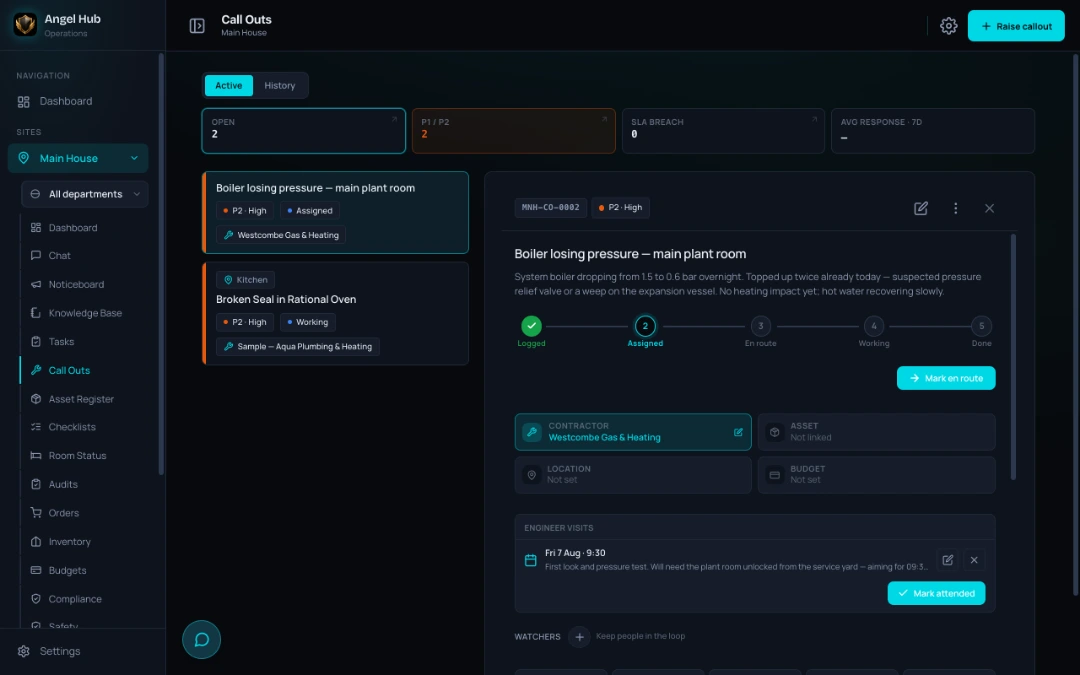
  • Call-outsConnectedRaise a call-out from any task — or straight away.

    It carries its asset, contractor, costs and documents, and everyone can follow every stage.

    • Send the contractor a booking link by WhatsApp or email
    • The engineer scans the QR on site and updates the job, no account needed — you see every stage instantly
  • Asset registerConnectedScan the QR label: the full history — every call-out, task and cost — plus the instructions and documents that belong to it.

    Project plans, audit questions and housekeeping routines point at the same record, and it knows its budget pot. Repair or replace stops being a guess.

    • A QR label on every boiler, fridge and lift
    • Raise a task that’s already assigned to that asset
    • Due and overdue servicing flagged before anything slips
    The full asset story
  • ContractorsConnectedInsurance and compliance documents with renewal dates and an at-a-glance health indicator.

    Every contractor’s full job history and paperwork in one record — attach them to a piece of kit, put them on a project team, and their insurance expiry appears on the compliance calendar before it lapses. When their engineer signs in at the door, the visit lands on their record too.

  • ProjectsConnectedBigger jobs as a plan tree — phases, deliveries, budgets, the assets a step concerns, and a live red-amber-green roll-up.
    • Refurbs and openings

Stay compliant

When the EHO, the insurer or head office asks — the answer is already written down.

  • ComplianceConnectedA renewal clock for certificates and inspections — gas safety, EICR, LOLER — so nothing lapses quietly.

    Its calendar shows when a contractor’s insurance runs out, and your own compliance map can point any duty at the recurring checklist or task that proves it is done.

    We also publish what the law actually asks of a hotel in England.

    The compliance guides
  • SafetyConnectedRisk assessments, COSHH and safe systems of work with sign-offs.

    Risk assessments and COSHH with staff sign-offs — a hazard can raise an action task straight from the form, and overdue document reviews are posted into a chat group you choose, with a task attached.

    • Incident reporting with RIDDOR guidance
    • An export pack ready for an EHO visit
  • VisitorsConnectedVisitors and contractors sign themselves in from a QR poster at the door, on their own phone, with your assembly point on the screen.It covers people at the door, not your own staff.

    Reception sees who is on site now, the team receiving them gets an arrivals card in chat, and a contractor’s visit lands on their record with any expired paperwork flagged. When the alarm goes, that list is the roll call — “12 of 14 accounted for”.

  • AuditsConnectedBuild your own templates, run them on a phone.

    Sign off an audit and every failed item spawns its corrective task — routed to the right department, with the auditor’s photos and the asset the template tied to that question — and the two stay linked. Tie the template to a budget pot and those tasks land in it, badged “Audit”.

    • Corrective tasks spawn automatically, priority set by severity
  • TrainingConnectedCourses staff complete on their phone — refreshers tracked, one matrix of who’s current, printable certificates.
    • Assessor sign-offs

Money & stock

Spend and stock stop being a month-end surprise — every cost lands where it belongs, as it happens.

  • BudgetsConnectedTag a job with a budget pot and every cost on it lands there — a task, a call-out, an order, or the price of a new machine.

    Spent and committed, side by side. Audit templates and store orders carry a pot too, so what follows from them is costed from the start.

    • A tree of named pots for the year, with red-amber-green bars and a drill-in
  • InventoryConnectedStock counts with par levels — one tap turns a shortfall into an order.
    • Monthly counts and suppliers
  • OrdersConnectedOrders carry their supplier and land in the right budget pot — and the store desk raises one from a group store request for whatever it has to buy in.
  • Group StoreConnectedOne catalogue for the whole group.It moves stock and paperwork between the store and the hotels, not money.

    A hotel fills a basket and sends it as one order, naming the budget pot it should come from; the store desk works one queue and marks each line — not started, on order, ready to collect, part delivered — and raises the supplier order for anything it has to buy in, pot attached. Stock and paperwork move; money does not.

  • EnergyConnectedMeter readings and consumption dashboards — and a reading taken on a checklist goes straight into Energy as that meter’s reading when the checklist is signed off, so the morning round feeds the graphs by itself.
  • StatisticsConnectedOverdue work by department and site, contractor spend, and the numbers managers actually ask for.

    Statistics reads across tasks, call-outs, checks and spend — so you can see where the pressure is building — and its assurance panel reads certificates, safety documents, contractor cover and open audits to show how covered you are right now, each tile opening the module behind it.

Six screens from the real app

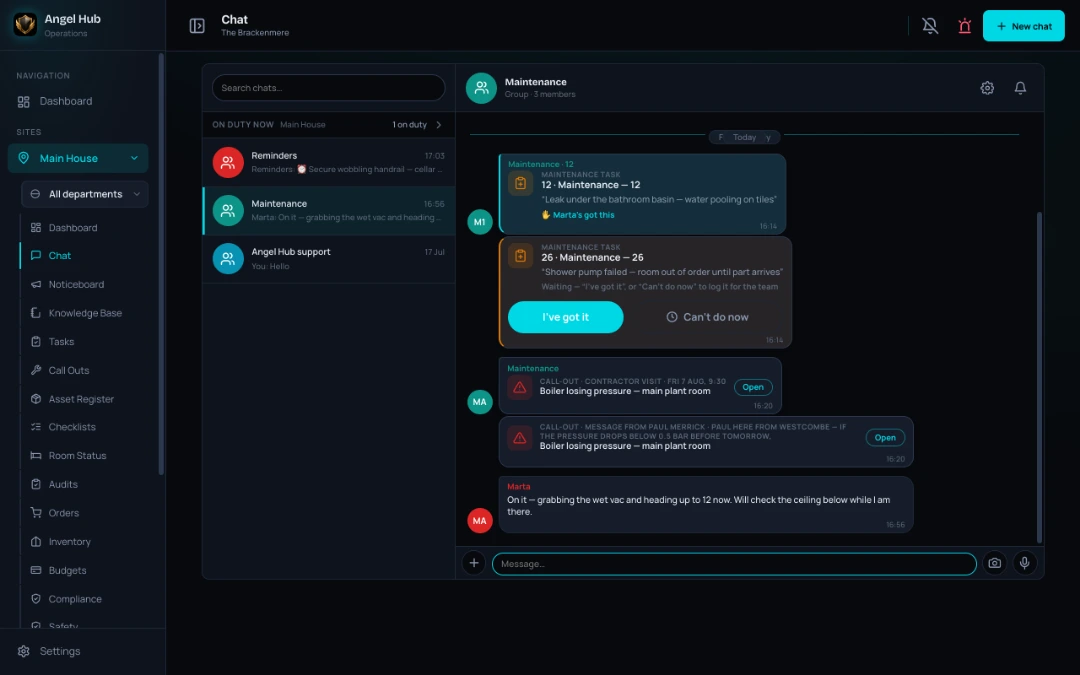
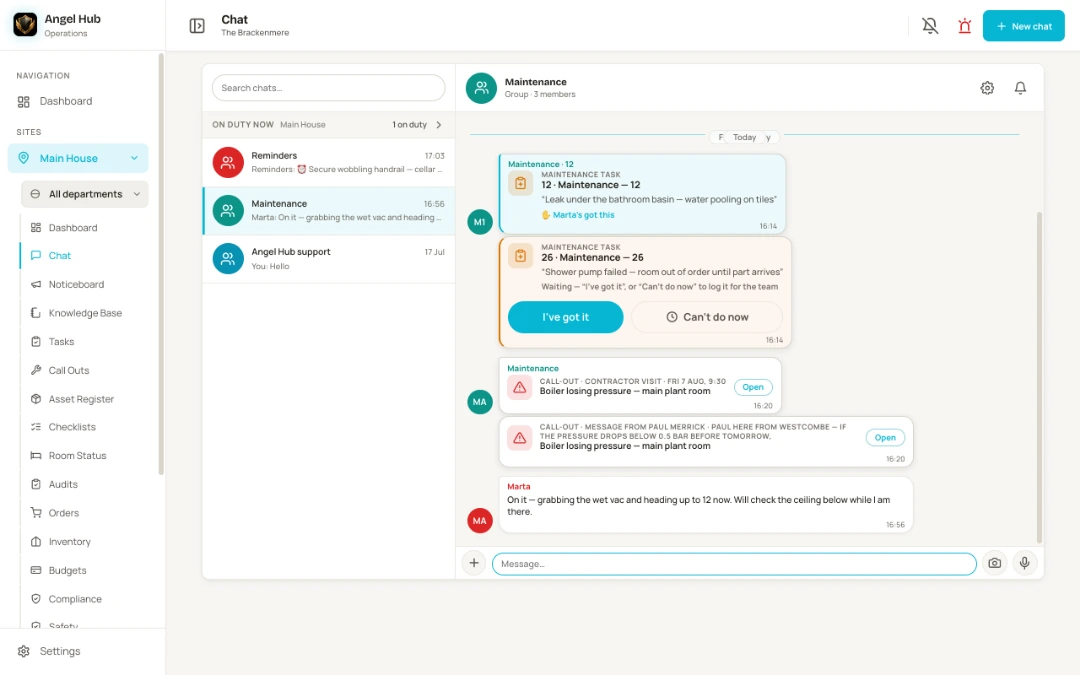
Chat on a desktop — the room 12 leak card claimed by Marta, a second job card still waiting for I’ve got it, the boiler call-out with the contractor’s own booking and message, and who’s on duty shown above the thread listChat on a desktop — the room 12 leak card claimed by Marta, a second job card still waiting for I’ve got it, the boiler call-out with the contractor’s own booking and message, and who’s on duty shown above the thread list
Chat on a desktop — the room 12 leak card claimed by Marta, a second job card still waiting for I’ve got it, the boiler call-out with the contractor’s own booking and message, and who’s on duty shown above the thread list
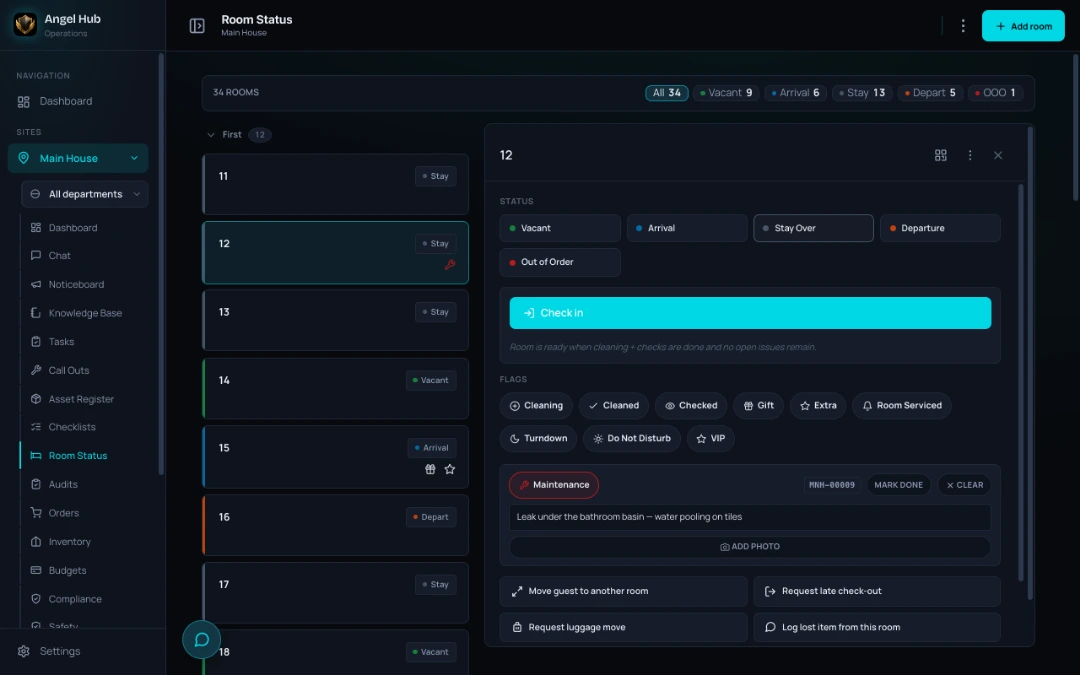
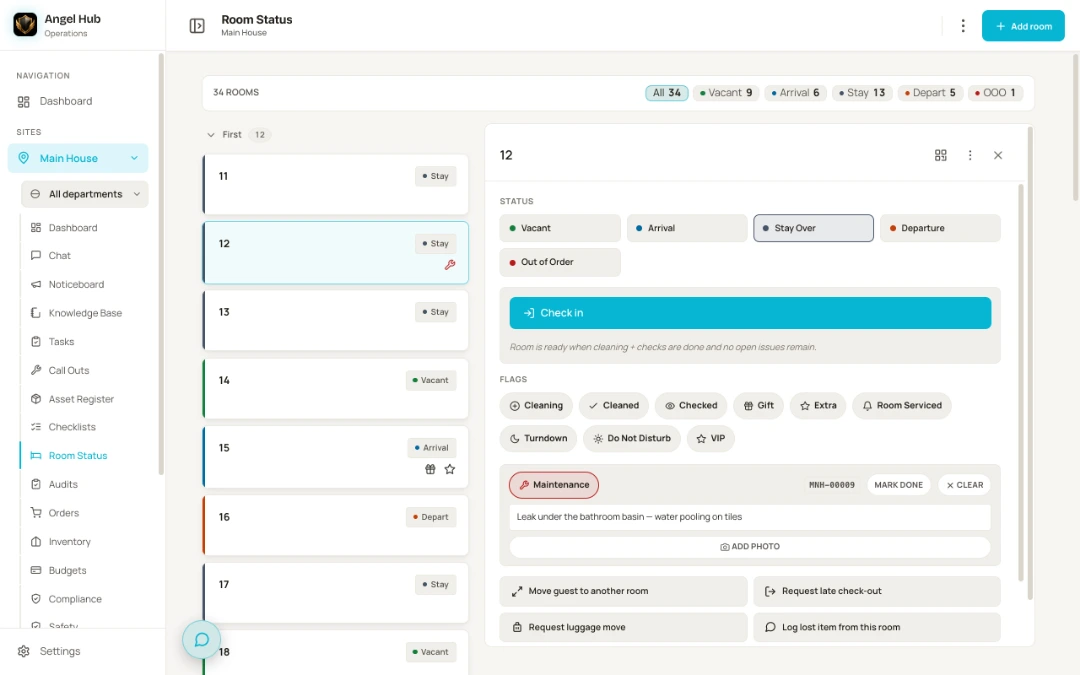
The room status board — 34 rooms with live vacant, arrival, stay, departure and out-of-order counts, and room 12 open showing its maintenance flag: leak under the bathroom basin, water pooling on tilesThe room status board — 34 rooms with live vacant, arrival, stay, departure and out-of-order counts, and room 12 open showing its maintenance flag: leak under the bathroom basin, water pooling on tiles
The room status board — 34 rooms with live vacant, arrival, stay, departure and out-of-order counts, and room 12 open showing its maintenance flag: leak under the bathroom basin, water pooling on tiles
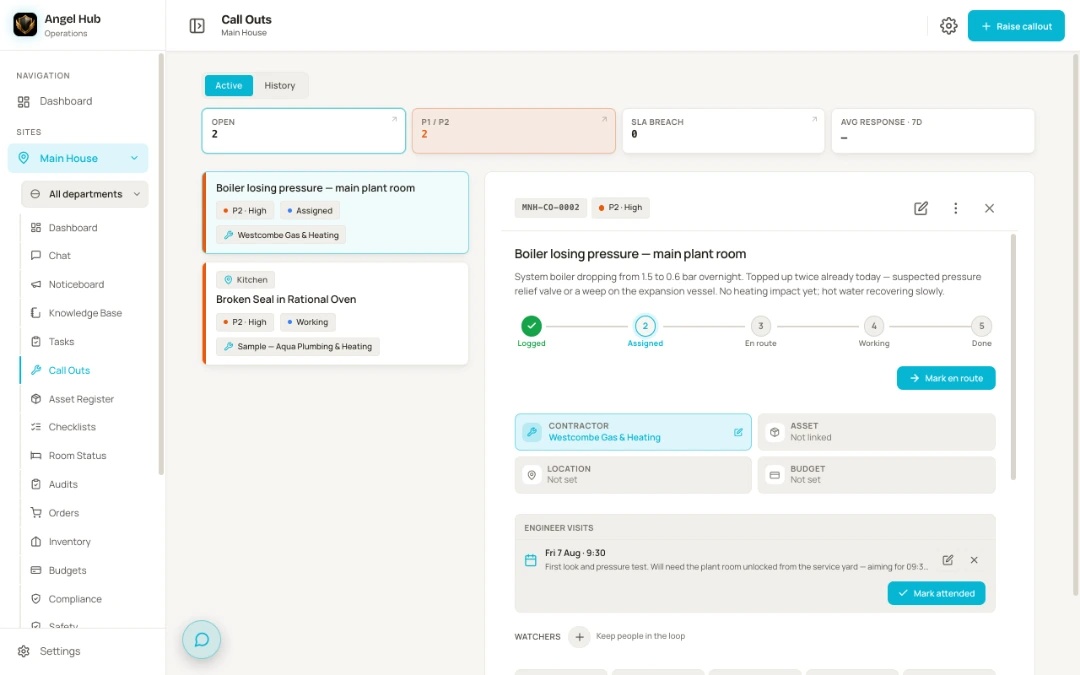
A call-out record — the contractor assigned to the boiler losing pressure, the stage tracker showing logged, assigned, en route, working and done, and the engineer’s own booked visit with their note about the first look and pressure testA call-out record — the contractor assigned to the boiler losing pressure, the stage tracker showing logged, assigned, en route, working and done, and the engineer’s own booked visit with their note about the first look and pressure test
A call-out record — the contractor assigned to the boiler losing pressure, the stage tracker showing logged, assigned, en route, working and done, and the engineer’s own booked visit with their note about the first look and pressure test
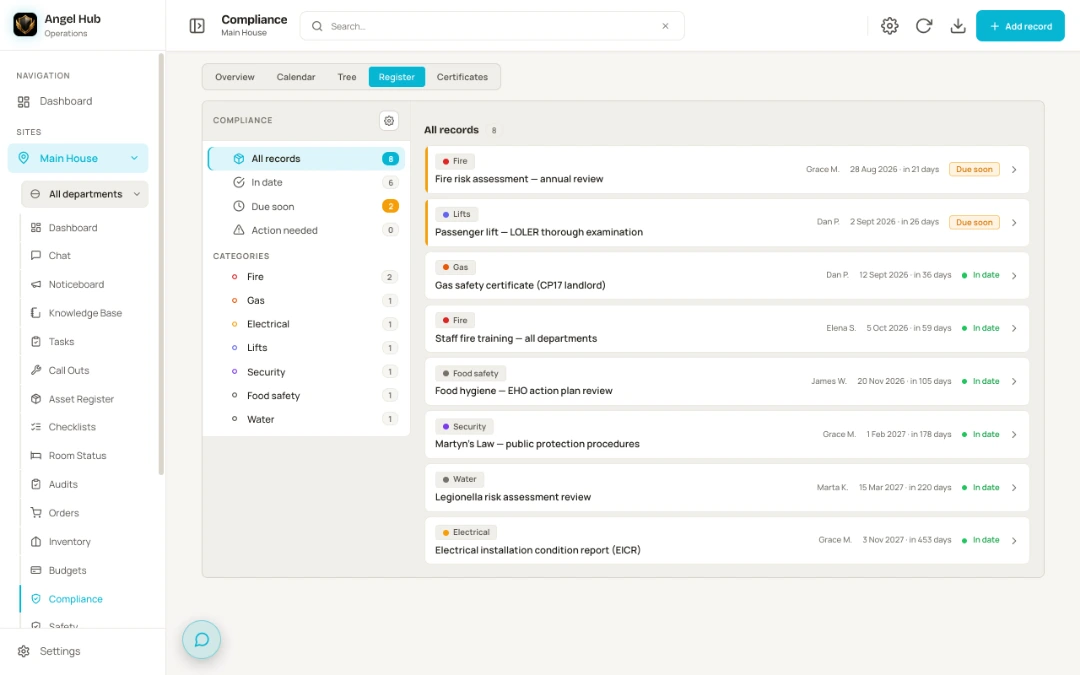
The compliance register — fire risk assessment and the passenger lift’s LOLER examination flagged due soon, with gas safety, staff fire training, food hygiene, Martyn’s Law, legionella and the EICR each showing an owner, a date and a countdownThe compliance register — fire risk assessment and the passenger lift’s LOLER examination flagged due soon, with gas safety, staff fire training, food hygiene, Martyn’s Law, legionella and the EICR each showing an owner, a date and a countdown
The compliance register — fire risk assessment and the passenger lift’s LOLER examination flagged due soon, with gas safety, staff fire training, food hygiene, Martyn’s Law, legionella and the EICR each showing an owner, a date and a countdown
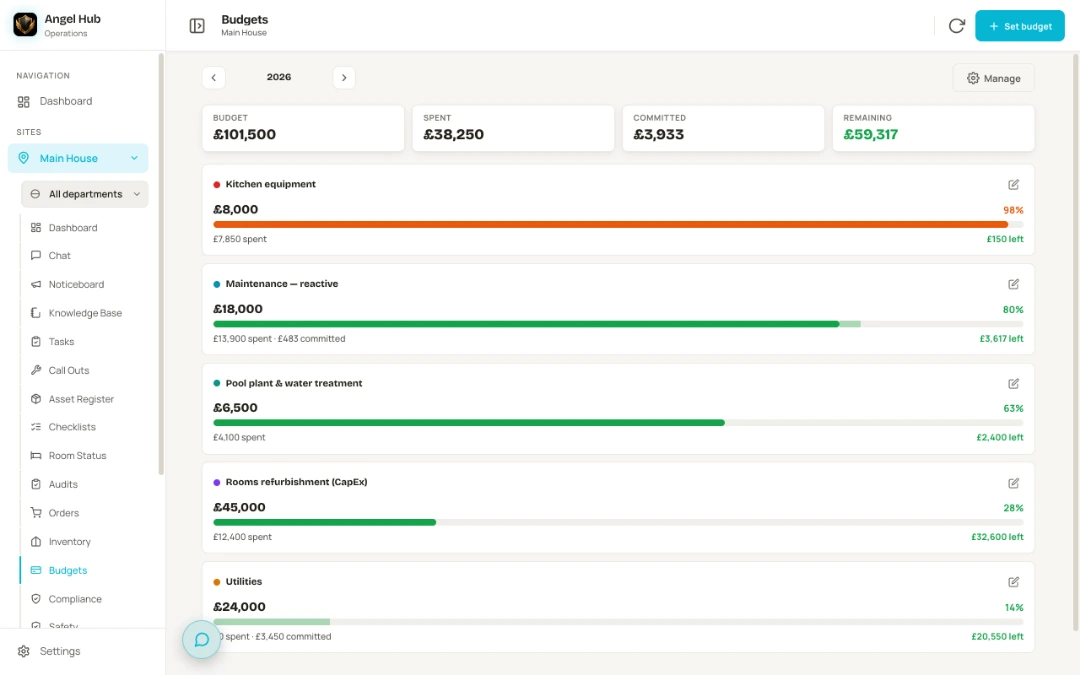
Budget pots with red-amber-green bars — kitchen equipment at 98 per cent in amber with £150 left, reactive maintenance showing spent and committed amounts, and pool plant, rooms refurbishment and utilities pots comfortably insideBudget pots with red-amber-green bars — kitchen equipment at 98 per cent in amber with £150 left, reactive maintenance showing spent and committed amounts, and pool plant, rooms refurbishment and utilities pots comfortably inside
Budget pots with red-amber-green bars — kitchen equipment at 98 per cent in amber with £150 left, reactive maintenance showing spent and committed amounts, and pool plant, rooms refurbishment and utilities pots comfortably inside
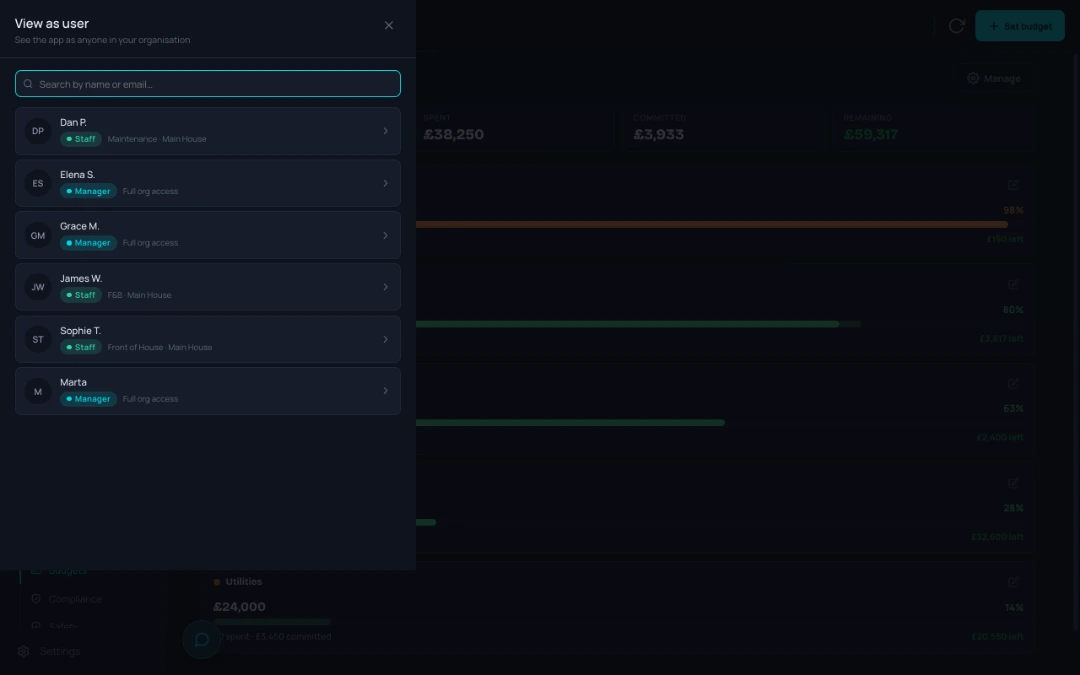
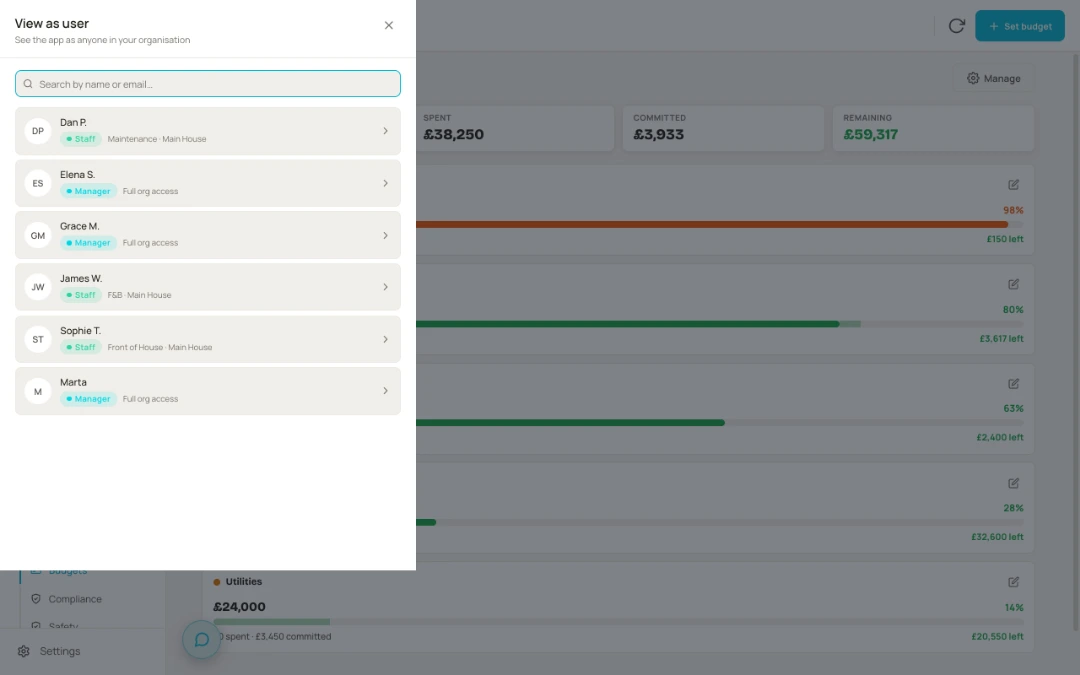
The View as user picker — see the app as anyone in your organisation, each person listed with their role and access before you open their exact viewThe View as user picker — see the app as anyone in your organisation, each person listed with their role and access before you open their exact view
The View as user picker — see the app as anyone in your organisation, each person listed with their role and access before you open their exact view

Built on solid foundations

Built for groups, priced for independents — because small hotels deserve the same tools as the big groups.

  • Multi-site, multi-department from day one — each department sees its own world; groups see across hotels.
  • Roles & permissions you control — and owners can “view as” any staff member to see exactly what their team sees.
  • Installs from the browser — works like an app on any phone, no app store, no rollout project; work done without a signal is held on the phone and sent when it returns.
  • Outsiders need no accounts — engineers work through a secure link, guests through the in-room QR form. Your data stays isolated to your organisation.

A closer look · the asset register

Every boiler, bed and fridge — with its whole story attached.

A hotel is a building full of expensive kit, and most of its history lives in someone’s head. Angel Hub gives every asset its own page — and a QR label that opens that page for whoever is standing in front of it.

Know what you own

A register you can actually browse.

The register is organised the way your building is. Pick a floor or a room and see everything in it — from the boiler in the plant room to the beds in room 12 — or filter by your own categories. Give each asset a photo and the register can show itself as a photo grid — and interiors categories like sofas, beds and chairs are made for it, so checking a bedroom’s furniture feels like flicking through pictures, not scrolling a spreadsheet.

Behind each photo sits the detail you’ll one day be very glad of — with the manuals and instructions linked from your own knowledge base, so whoever’s standing at the machine can read how it works without ringing anyone.

  • Make, model & serial
  • Installation date
  • Warranty — flagged before it runs out
  • Purchase price & budget
  • Manuals & certificates
  • Photos
The QR label

Scan the label and stop guessing.

Print a QR label for every asset — sheet labels from the office printer, or a handheld tape printer for the plant room — and stick it on. From then on, the label answers the questions. Your team scans it to raise a call-out, add a task, log a service or open the instructions — everything pre-filled for that exact asset, nothing retyped.

When an engineer arrives, they scan the same label and type their name and company — no account, no app, no password. They see exactly what they’re standing in front of: the asset’s details, when it was last serviced and what’s due, and the hotel’s open jobs on it with the fault photos attached. Nobody has to find the manager who logged it.

And when they file their visit report — work done, before-and-after photos, costs, outcome — everyone watching that job gets the update on their phone straight away. Nothing is lost between the plant room and the office.

Scan→No account needed→Fault photos→Visit report→Team notified
Repair or replace?

The history that settles the argument.

Every call-out, task, logged service, note, photo and document lands on the asset’s own timeline — so “how many times has this thing broken?” takes seconds to answer, not an argument to have.

The register also adds up what each asset has really cost — call-out costs, task costs, anything you add by hand — year by year. Tell it what a new one costs, and as repair spend climbs towards the price of buying new, the asset says so itself: replace recommended. The third repair bill for the same fridge stops being a debate.

Servicing has its own clock. Every asset carries its own service schedules, due and overdue are flagged across the register and on the scan menu, and a due service becomes a maintenance task in one tap. When it’s your gas engineer’s annual round, send them a secure link by WhatsApp or email — no account — and they see their own worklist, overdue first, and log each service with its certificate, photos and cost straight onto the record. The link expires by itself, and you can switch it off any time.

Timeline→Running cost→Price of new→Replace recommended

Getting started

No IT project. Honestly.

See it on your phone

Book a demo and bring one real problem — a repeated leak, a messy handover, an audit you dread. We walk through how Angel Hub handles it, on a phone, in your hands.

We set it up together

Your sites, departments and team go in during a call — with ready-made roles to hand out and 27 service schedules, each saying how often it’s due and why, added by one button. No data migration project, no consultants.

Your team starts the same day

Staff install it from the browser — no app store, no laptops, no training day. Week one is yours: the first checklist, the first few assets, one routine at a time. Everything else can wait until you want it.

If your team can use WhatsApp, they can use Angel Hub. That’s the design bar: phone-first, fast and calm — a tool staff open because it helps, not because they’re chased. Want the shape of it before the call? Read how a hotel runs on Angel Hub.

Pricing

One price per hotel. Everything included.

Every hotel gets the whole product — all 22 tools, no per-user fees, no feature gating, nothing held back for “Enterprise”.

Priced for your hotel

No two hotels run the same way, so we price each one on its own. Tell us about yours and we’ll give you its price.

Book a demo
One monthly price for the whole hotelUnlimited staff — never count seatsSet out in the agreement you sign

Running a group? 2–10 properties with one view across sites — talk to us.

Who’s behind it

Built on hotel shifts, not in a software office.

Angel Hub was built by Radek, who spent years running hospitality operations in one of the UK’s most admired independent hotel groups. He built the tool he needed on shift and couldn’t buy: one place where the whole operation lives, that staff actually want to open.

Every screen was shaped by real handovers, real EHO visits and real Saturday changeovers — not user-story workshops. The bar it’s built to: so good your team can’t imagine working without it.

The goal is simple: give people their time back — less chasing, less paperwork, more of the job they’re actually there to do.

10% of Angel Hub’s profits go to community projects — and we show you exactly where every pound went.

Honest answers

The questions GMs actually ask.

Will it run on our phones?
Yes — any modern phone. It installs from the browser in seconds and works like an app: no app store, no IT involvement. And the work that happens away from a signal keeps working: tasks, checks, audits, call-outs, asset services, stock counts, orders, chat messages, noticeboard posts, training confirmations and store orders are held on the phone and sent when the signal comes back. If something genuinely cannot be saved, it says so rather than pretending.
Do you charge per user?
No. One price per hotel per month, and the whole team is in. Every hotel gets the identical, complete product — book a demo and we’ll give you a price for yours.
Does it work for a pub or a restaurant?
Yes. The checks and temperature records, tasks, call-outs, the asset register, compliance, stock and orders, the rota, training and chat all work the same way in a pub or a restaurant. Rooms is the one tool built around bedrooms: if you let rooms, it works as it does in a hotel, and if you don’t, you switch it off in Settings. There’s a ready-made Waiter / Bar role for the team serving your restaurant and bar. Pricing works as it does for a hotel: one price for the site, never per person.
Do engineers and guests need accounts?
No. A contractor’s engineer sees and updates their job through a secure link. Guests request things through the QR code in their room — no app, no login, nothing to explain at check-in.
Is it a PMS or booking system?
No — and it doesn’t try to be. Angel Hub runs the operation: the work, the communication, the safety records and the money behind them. It sits alongside whatever you use for reservations.
Whose data is it?
Yours. Your organisation’s data is kept separate from every other customer’s. Day to day you export what you need yourself — a month of checks and readings as a spreadsheet, your compliance pack, your safety register, training certificates, a knowledge-base document as a PDF. And if you ever leave, you get a full export of everything your organisation owns, in an open format you can load somewhere else. That is in the agreement, not a favour.
How long does it take to get started?
Days, not months. A demo, one setup call for your sites and teams, and your staff install it from a link the same day. There is no IT project to run.

Book a demo

See it on your phone.

Bring one real problem from your hotel — a repeated leak, a messy handover, an audit you dread — and we’ll show you what it looks like when everything is connected.

Or write to us: info@angelhub.co.uk